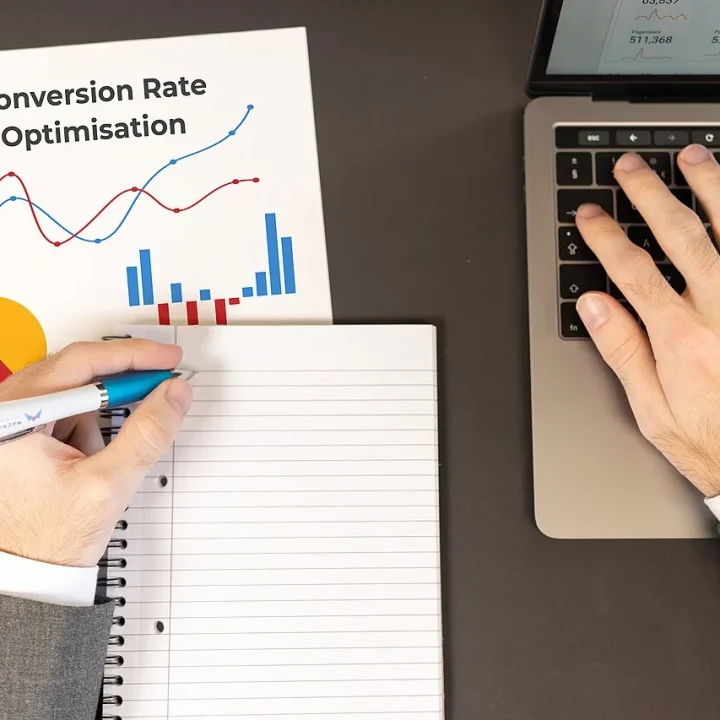
Analytics & Conversion Tracking Setup gives you measurement you can trust. In ten business days we design a tracking plan, build or clean up Google Analytics 4 and Google Tag Manager, configure Consent Mode v2, connect Google Ads enhanced conversions and the Meta Conversions API, and hand over a Looker Studio dashboard that shows what your marketing is delivering.
Overview
Every paid media decision depends on data. Automated bidding on Google and Meta learns from the conversions you send it, and budget decisions depend on which channels appear to drive results. When tracking is missing, duplicated or blocked, the platforms optimize toward the wrong outcomes and your reports tell a misleading story.
Tracking has also become more complex. Browser privacy features, ad blockers and consent requirements mean a basic pixel install no longer captures the full picture. Google requires Consent Mode v2 signals for advertisers reaching users in the European Economic Area, and server-to-server connections such as the Meta Conversions API help recover signal lost in the browser.
This project sets up a clean, privacy-aware measurement foundation for one website. It is a one-time fee; ad spend is paid directly to the ad platforms and is not included.
What’s included in detail
Tracking plan
We document the conversions and events that matter to your business, such as purchases, leads, calls, sign-ups and key engagement actions, along with naming conventions and the parameters each event should carry.
GA4 and Google Tag Manager
We set up or clean up your GA4 property, configure data streams, key events and sensible settings, and build an organized Google Tag Manager container so future changes are easy. Learn more in Google’s Analytics Help Center.
Consent Mode v2
We configure Google’s Consent Mode v2 to respond to your consent management platform, so tags behave correctly based on each visitor’s choices. See Google’s consent mode documentation for the technical background.
Google Ads enhanced conversions
We set up Google Ads conversion actions and enhanced conversions, which send hashed first-party data to improve conversion measurement accuracy.
Meta Pixel and Conversions API
We install the Meta Pixel and connect the Conversions API, with event deduplication so browser and server events are not double counted.
Server-side tagging option
For businesses that want more control over data and better resilience to browser restrictions, we can set up a server-side Google Tag Manager container. This is scoped at onboarding, and cloud hosting costs are billed to you by the hosting provider.
Looker Studio dashboard
We build a dashboard that brings together GA4 and ad platform data, showing traffic, conversions and cost by channel in one place.
How it works
- Kick-off and access. We confirm goals, platforms and conversions, and you grant access to your website, GA4, Tag Manager, Google Ads and Meta Business Manager.
- Audit of current setup. We review what is already installed and identify gaps, duplicates and errors.
- Tracking plan approval. You review and approve the tracking plan before we build.
- Build. We configure GA4, Tag Manager, Consent Mode v2, enhanced conversions, the Meta Conversions API and, if chosen, server-side tagging.
- QA and testing. We test every event across devices and consent states and verify data arrives correctly in each platform.
- Dashboard and handover. We deliver the Looker Studio dashboard, documentation and a recorded walkthrough.
Deliverables and reporting
- A written tracking plan listing every event, its trigger and its parameters.
- A configured GA4 property and an organized Google Tag Manager container.
- Working Google Ads conversions with enhanced conversions and a Meta Conversions API connection.
- A QA checklist showing what was tested and the results.
- A Looker Studio dashboard shared with your team.
- Handover documentation and a recorded walkthrough, with follow-up questions answered within one business day.
Watch out: Consent requirements vary by location and industry. We configure the technical setup, but you should confirm your consent approach with your own legal counsel.
Who it’s for
This package suits advertisers whose platform numbers do not match their sales, businesses that have launched or rebuilt a website, and teams about to increase ad budgets who want a solid foundation first. Healthcare and other regulated businesses should flag their requirements at kick-off, as some tracking approaches may not be appropriate. For more on measurement, read our guide to attribution models in GA4 and our article on privacy-first retargeting.
Project timeline
| Stage | Timing | Output |
|---|---|---|
| Kick-off and access | Business days 1–2 | Access confirmed, current setup reviewed |
| Tracking plan | Business days 2–3 | Approved event and conversion plan |
| Build | Business days 3–7 | GA4, GTM, Consent Mode v2, enhanced conversions, Meta CAPI |
| QA and testing | Business days 7–9 | Verified events across devices and consent states |
| Dashboard and handover | Business day 10 | Looker Studio dashboard, documentation, walkthrough |
The server-side tagging option and sites that need developer work may extend the timeline; we confirm this at kick-off. Ready to run ads on solid data? See PPC Advertising Management or compare all service packages.